-
PRODUCTS & SERVICESOptimized cooling solutions for modern data centersProducts & ServicesOptimized cooling solutions for modern data centers
-
CAPABILITIESAdvancing liquid cooling technologiesCapabilitiesAdvancing liquid cooling technologies
-
TechnologiesLiquid Cooling InnovationTechnologiesLiquid Cooling Innovation
-
RESOURCESLatest News & InformationResourcesLatest News & Information
-
ABOUTOur history, leadership and ownershipAboutOur history, leadership and ownership
-
CONTACTFacility locations and global operational footprint




How to Choose a Touch Screen Device in 2026?
Choosing a Touch Screen Device in 2026 is no longer about screen size alone. Buyers now compare responsiveness, brightness, repairability, privacy controls, software support, and energy use. A vivid display can still feel disappointing when wet fingers cause missed taps. Small details matter.
Steve Jobs, Apple’s co-founder and a major technology industry leader, said at the 2007 iPhone launch, “We’re going to use the best pointing device in the world… our fingers.” His statement captured the appeal of direct interaction. Yet modern selection requires more than natural control. A good panel should recognize light touches, reject accidental contact, and remain readable beside a bright window.
This guide examines tablets, kiosks, monitors, point-of-sale terminals, vehicle displays, and industrial panels. It considers real use, not only laboratory specifications. You will see how refresh rate affects scrolling, why optical bonding improves outdoor visibility, and when glove support becomes essential. Connectivity, operating-system updates, warranty terms, and replacement costs also deserve attention.
No checklist is perfect. I have overlooked port placement before. A beautiful device became awkward on a crowded desk. That mistake changed how I evaluate products. The strongest choice balances comfort, reliability, security, and total ownership cost. Before buying, imagine the device in your actual environment: dusty workshop, busy counter, kitchen table, or bright classroom. Then test it with your own fingers.
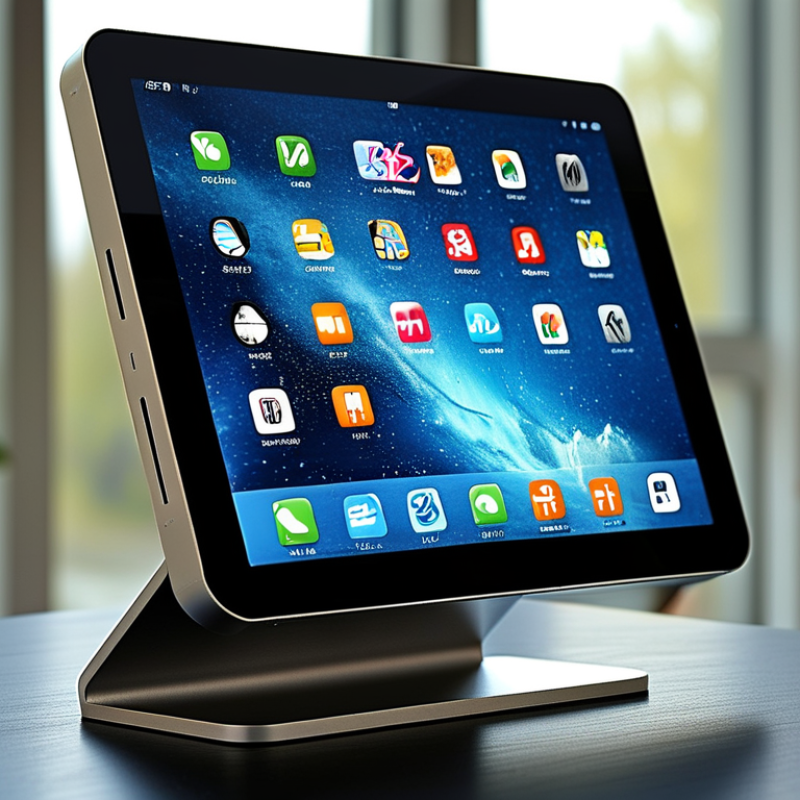
Table of Contents [Hide]
Define Your Touch Screen Needs and Intended Use
Before choosing a touch screen device in 2026, define the work it must perform. Will it support warehouse scanning, classroom notes, medical documentation, field inspections, or entertainment? Each setting changes the requirements. A desk user may value a bright 10-inch display and precise stylus input. A field worker may need glove operation, wet-finger responsiveness, sunlight readability, and strong drop protection.
Market evidence supports careful planning. Fortune Business Insights estimated the global touchscreen market at about USD 84.09 billion in 2023. Its report projects roughly USD 166.12 billion by 2030. That growth does not mean every device fits every task. Touchscreen controller research from MarketsandMarkets projects continued expansion through 2029, driven by automotive, industrial, and consumer applications. The numbers show demand, not suitability.
Test the real workflow before comparing specifications. Open the forms you actually use. Tap small controls with gloves. Measure whether text remains readable beside a bright window. Check touch response after a few minutes of continuous use. Consider battery life, repair access, operating temperature, mounting options, and accessibility settings. A high resolution display can still frustrate users with poor palm rejection. A large screen can become awkward in a crowded vehicle. I have seen teams overvalue screen size and underestimate charging logistics. That mistake is easy to repeat. Record the minimum acceptable brightness, response time, storage, and protection level. Leave room for honest revision. Your first requirement list may be wrong.